Starlink delivers the fastest internet ever pulled from a rooftop. Peplink makes it survivable. As the first Authorised Starlink Technology Provider, Peplink and SpaceX engineers built integration features into both ends — failover, bonding, outbound steering, and remote stow/un-stow control of the Starlink dish from one dashboard.
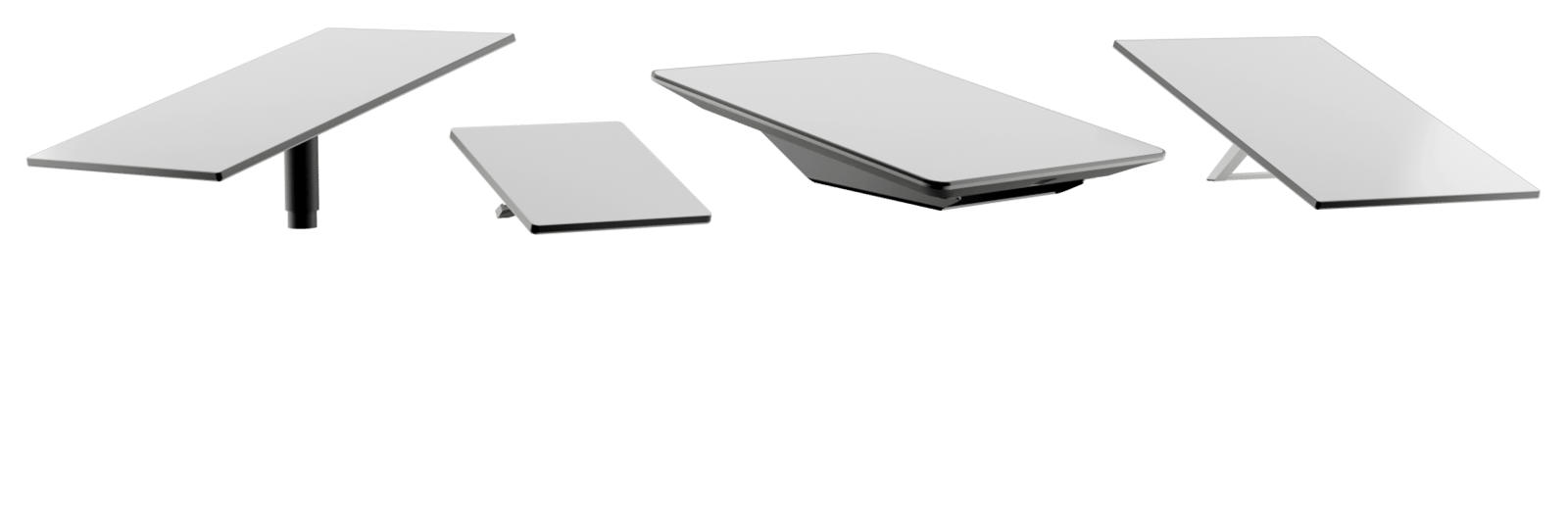
These are Peplink's own headline benefits of co-engineering with SpaceX — the things you can't replicate by just plugging any router into the Starlink Ethernet adapter.
Auto-failover from fibre or cellular to Starlink. Set Starlink as the always-ready secondary; if the primary line drops, the Peplink router rolls active sessions onto Starlink without a reconnect.
Bond two, three or more dishes. Peplink combines them into one logical pipe — cruise ships, live events, off-grid sites use this for redundancy and aggregate throughput.
Control Peplink + Starlink from InControl. Browser-based remote management — push config, see modem health, push stow commands. No bouncing between two vendor apps.
Co-engineered with SpaceX. Peplink routers expose Starlink-specific controls — outbound policies, obstruction handling, stow/un-stow — that exist because Peplink and Starlink engineers built them together.
These features exist because Peplink is an Authorised Starlink Technology Provider. They're in the firmware, ready to turn on.
Sub-second cellular take-over. When the dish drops — roam, weather, obstruction — traffic shifts to LTE / 5G inside the same TCP session. VoIP doesn't click. Video doesn't reconnect.
Combine two or more dishes. Firmware 8.3.0+ adds dynamic weighted bonding tuned for Starlink's variable conditions — needed for cruises, live events, mining and off-grid.
Requested by Starlink. Joint-engineered. A new outbound policy that prioritises whichever WAN has the most available uplink — efficient multi-WAN usage that Starlink themselves requested be built in.
One button. Whole fleet. Stow your Starlink antenna directly from Peplink's UI — sync multiple dishes simultaneously. No relying on Starlink's own app, no truck roll.
Prevents brief drops becoming session resets. A Peplink-only option that suppresses the immediate disconnect when an obstruction is detected — the router rides through the gap rather than tearing the connection down.
One device for location + connectivity. Use the Starlink dish's GPS as the router's location source — useful for vehicle, vessel and fleet deployments where you don't want a separate GPS antenna.
Sourced from Peplink's official Starlink integration documentation. Firmware 8.4.0+ required for stow/un-stow.
The diagrams below are Peplink's own deployment blueprints — same SpeedFusion stack, the boxes and antennas change with the site. Pick the one closest to your environment.
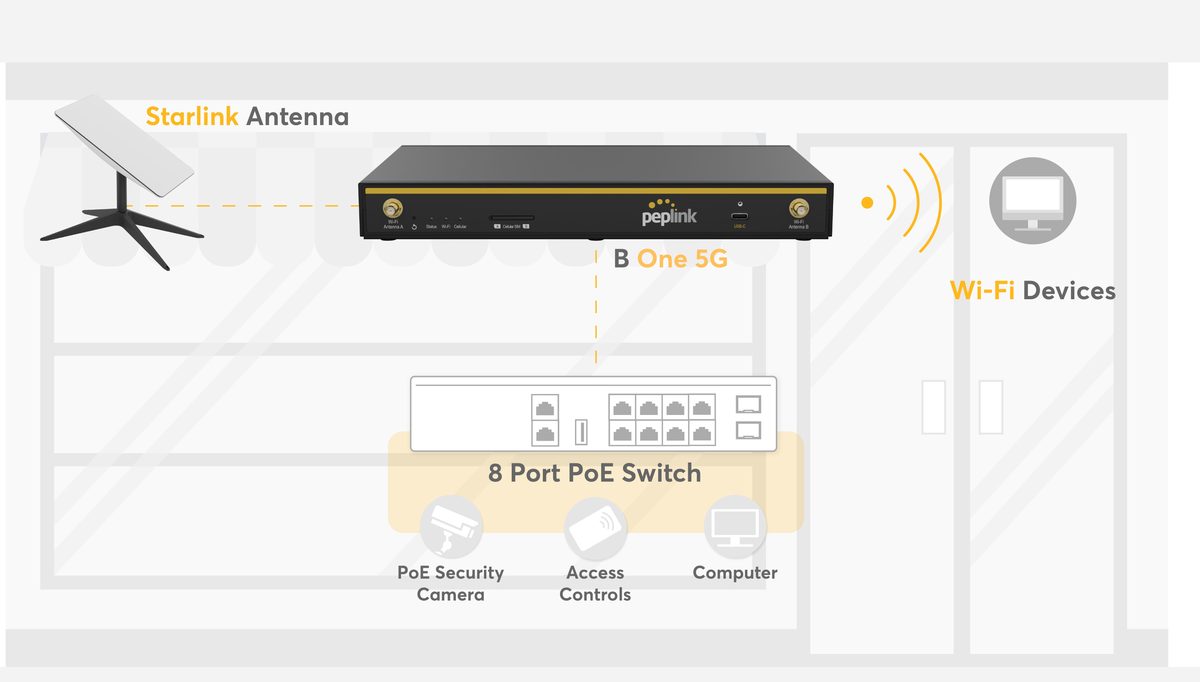
A single Starlink as primary, 5G as automatic backup. The Peplink router runs the POE switch, security cameras, computers and Wi-Fi for staff and guests.
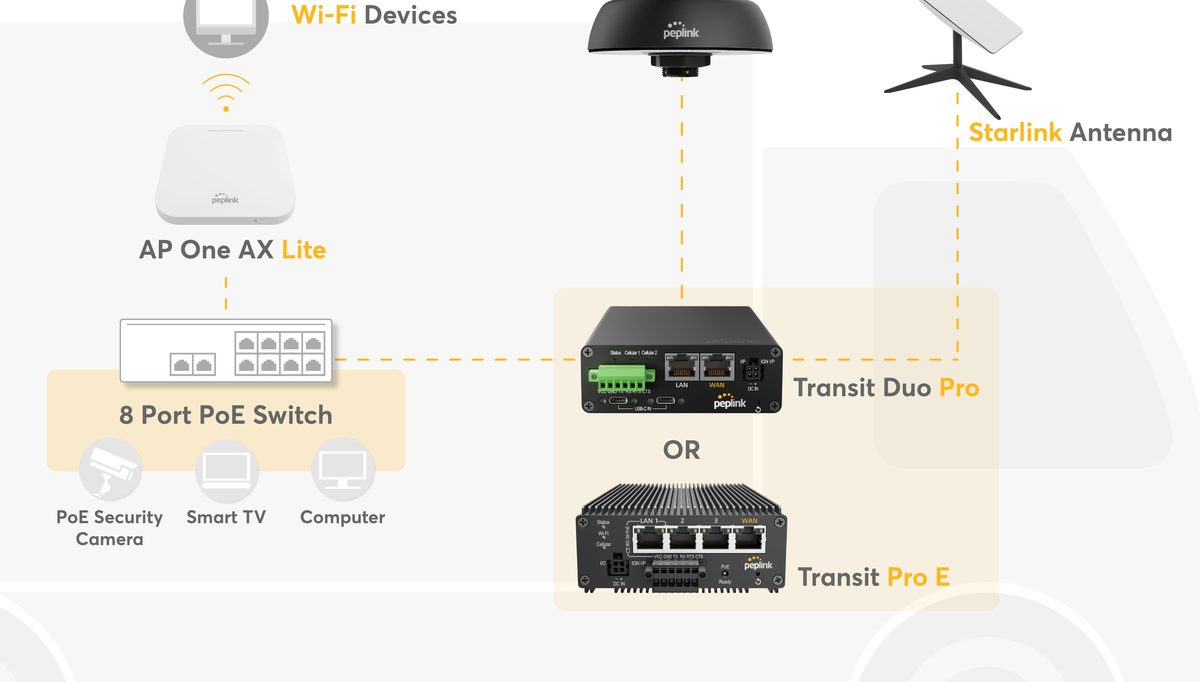
Starlink primary at standstill, cellular when moving and the dish is stowed. Mobility 42G antenna for the road, AP One AX Lite for onboard Wi-Fi.
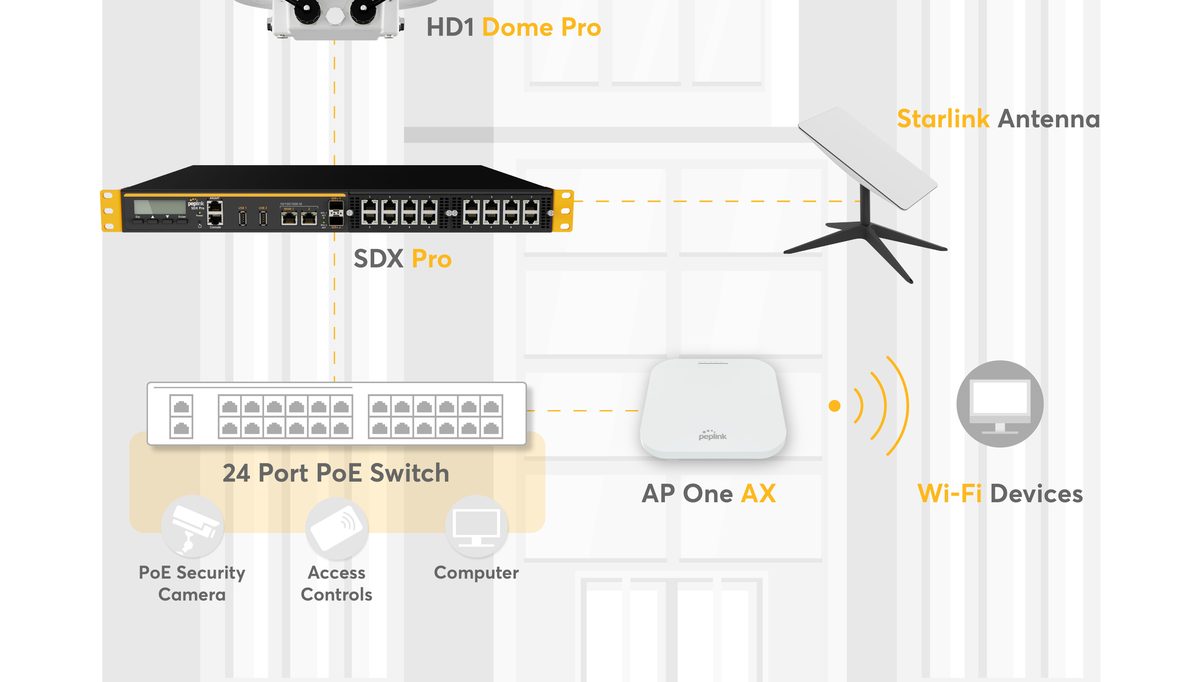
High-throughput rackmount SDX Pro paired with HD1 Dome Pro (outdoor cellular) and Starlink. Built for offices that can't take a connectivity hit.
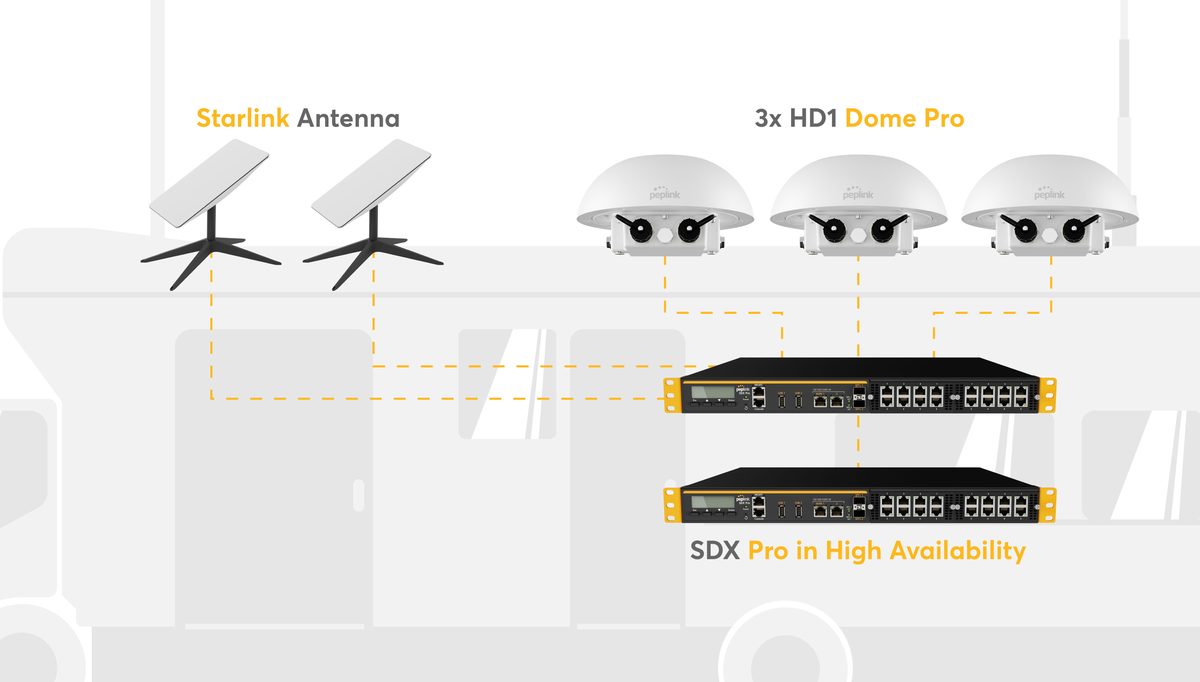
Two SDX Pro routers in High Availability. Three HD1 Dome Pro cellular gateways. Two Starlink dishes. Built for command vehicles where the network failing isn't an option.
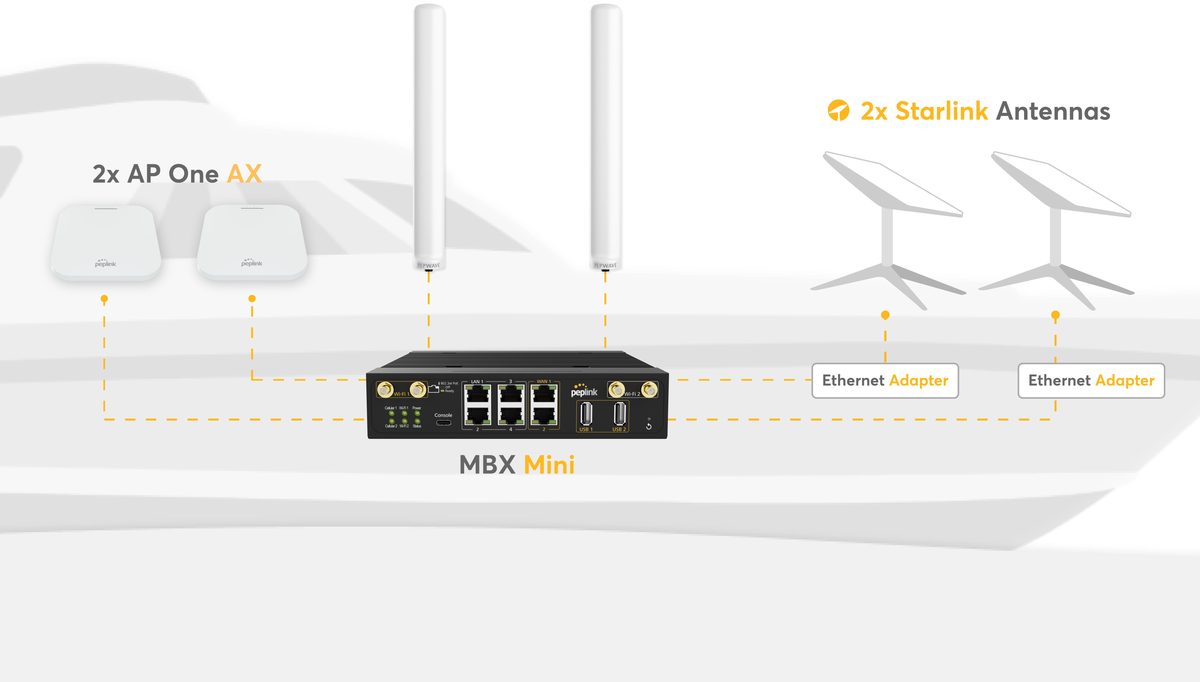
MBX Mini below deck, two Maritime 40G antennas above deck for cellular, two Starlink dishes for the LEO link. AP One AX for guest Wi-Fi across the vessel.
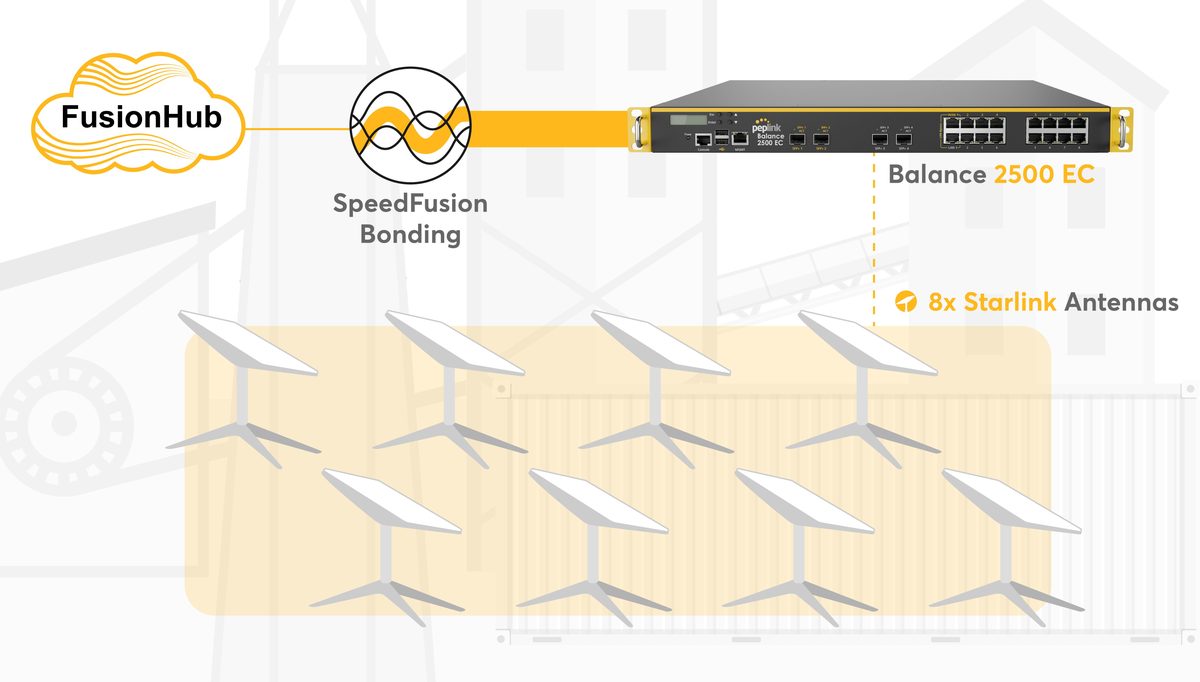
Eight Starlink dishes bonded into a single FusionHub tunnel via Balance 2500 EC. Off-grid mine connectivity, drilling sites, expedition base camps — anywhere fibre will never reach.
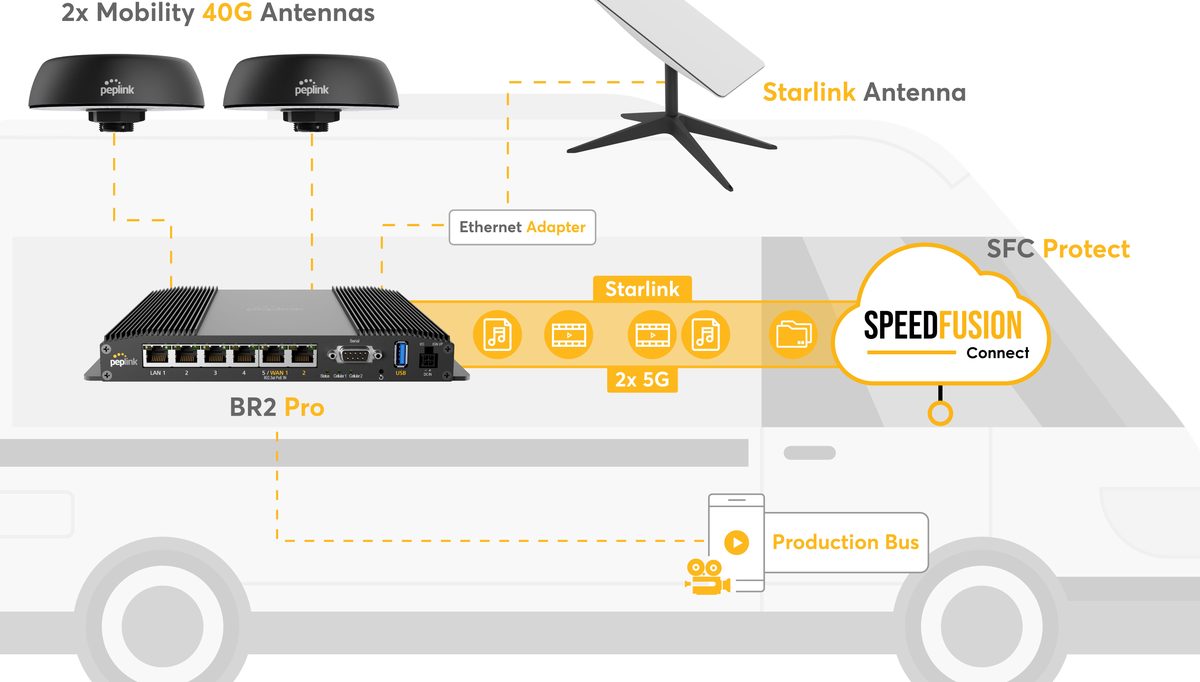
BR2 Pro inside the broadcast van. Two Mobility 40G antennas and dual 5G for terrestrial backhaul. Starlink for the LEO leg. All bonded into the SpeedFusion Connect Protect tunnel for the live feed back to the production bus.
Diagrams from Peplink's Supercharge Your Connectivity with Peplink and Starlink deployment brochure.
One short conversation — your site, how many Starlinks today and where they go, what cellular options you have, and what can't go offline. We come back with the Peplink models, the firmware features turned on, and an integration plan that survives the real world.